Save Time with Fast Emoji Search in Google Meet
Stop scrolling and start reacting. Simply open the emoji bar, type, and react instantly with smart search and typo correction.
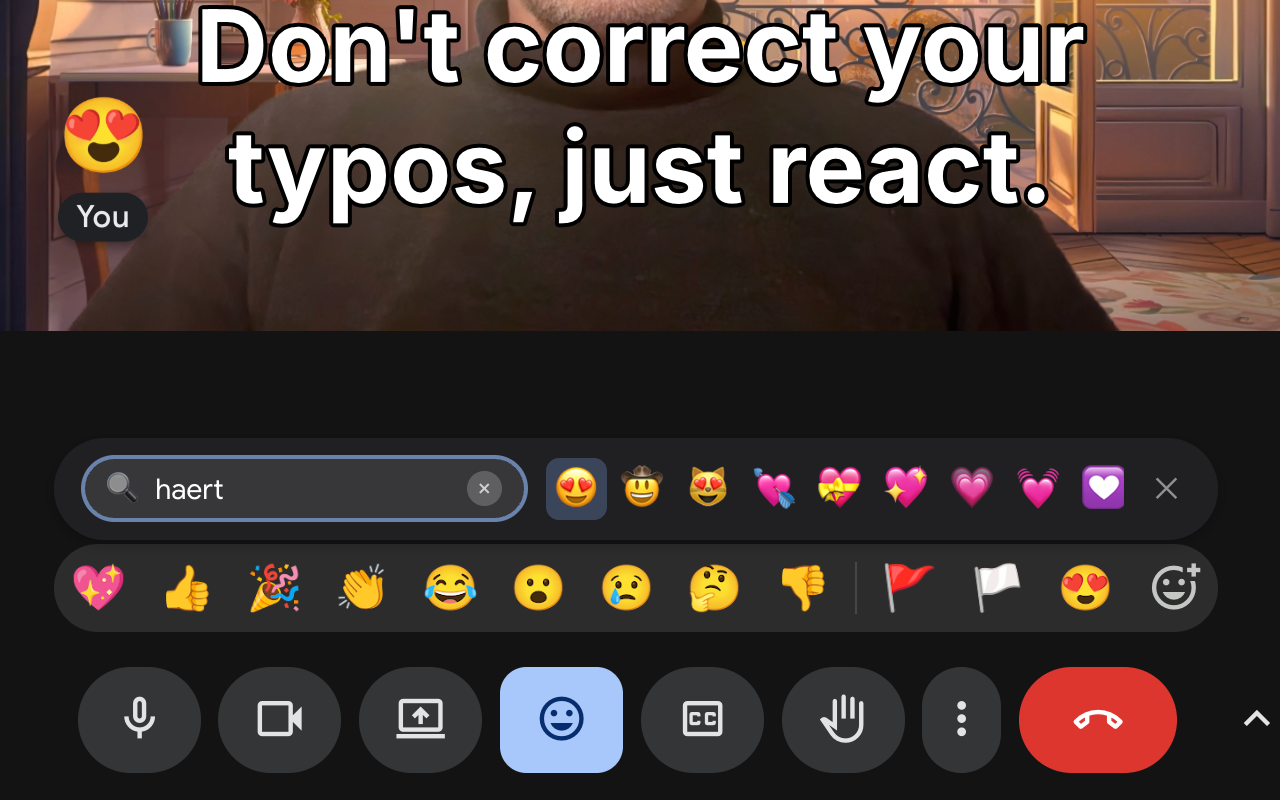
How it works
⚡️ Lightning Fast Workflow
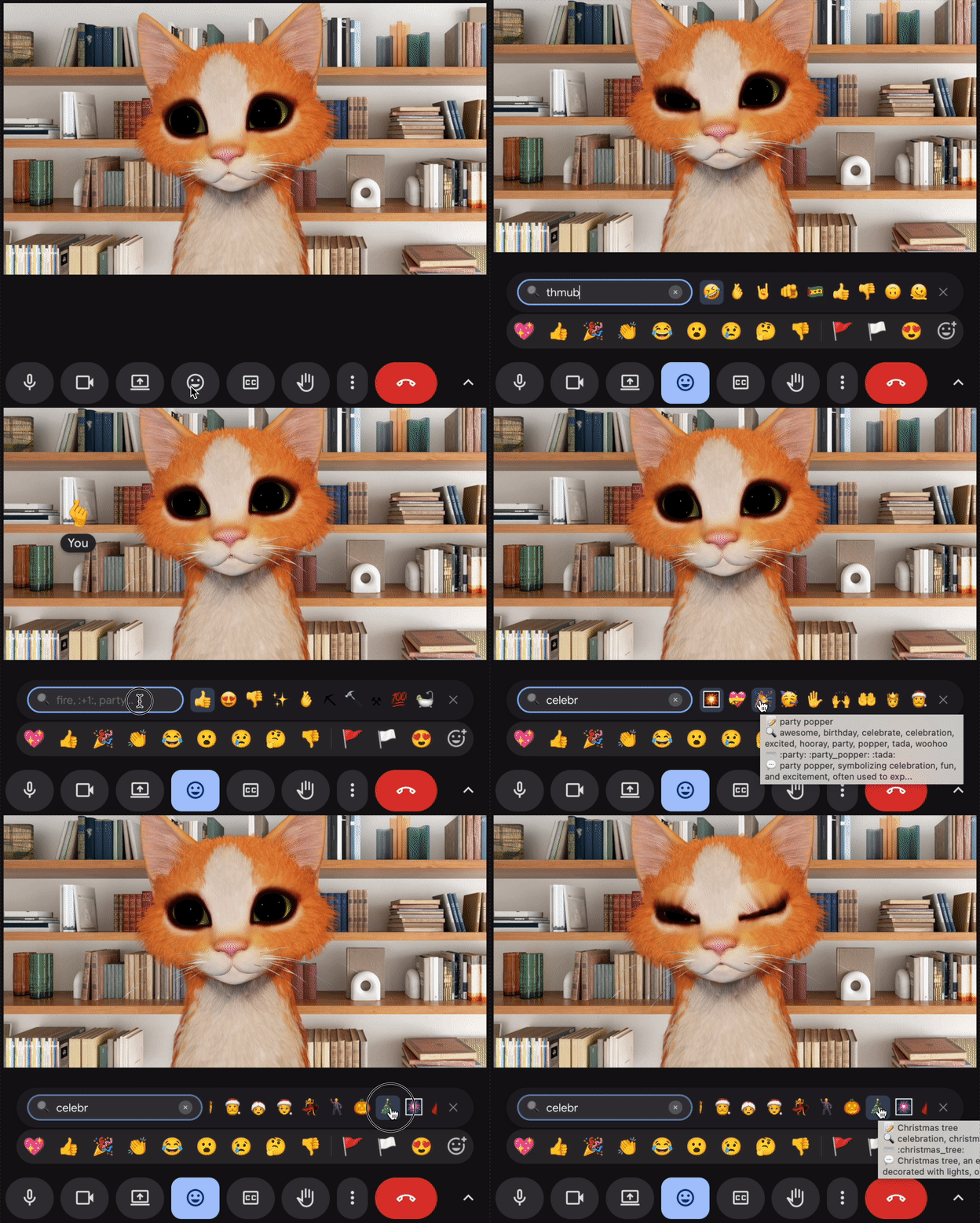
Everything is designed for speed. Open the bar, type a few letters like "thmb", and hit Enter. No mouse needed.
✏️ Smart Typo Correction
Typing on the fly? "fier" becomes 🔥 and "thmb" becomes 👍. Don't waste time backspacing.
Smart Features
🧠 "Frecency" Shortcuts
We learn your favorites. Type "y" and get YOUR favorite "yes" emoji immediately at the top.
🔍 Semantic Search
Can't remember the name? Type "mind blown" for 🤯 or "celebrate" for 🙌. search by concept, not just filename.
🤝 Collaborative Vibe
Emojis used by others in your meeting get a slight search boost, helping you stay in sync with the room.
Works best with Google Workspace
This extension supercharges the Extended Reactions feature available in Google Workspace meetings. In personal accounts limited to standard emojis, you'll see a restricted mode.
Native Feel
Loads instantly as part of Meet interface.
Privacy First
All processing happens locally on your device.
Zero Clutter
No extra windows or popups to manage.
Free. Chrome only.